
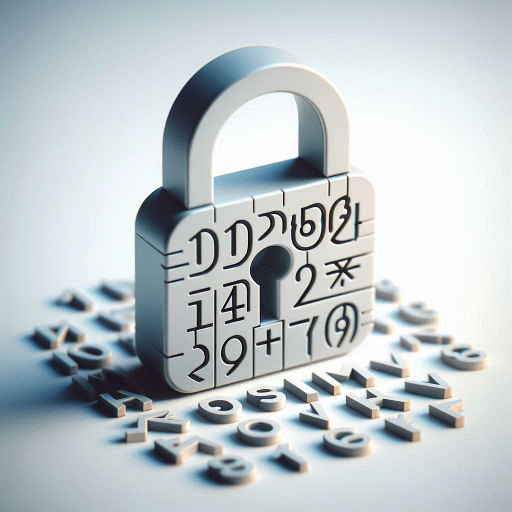
The eight-character rule was never really justified
For about twenty years the standard advice was eight characters, with a capital letter, a number and a symbol. It felt rigorous, and it was widely repeated. The problem is that it was never derived from anything. Eight characters from a large alphabet is roughly 44 bits of entropy, which is a number that sounds respectable and is not.
That figure assumes an attacker who has to test every combination at the speed of the hardware. Since roughly 2017 that assumption stopped holding. Consumer graphics hardware can test billions of candidate passwords per second against a stolen hash, and renting that hardware costs a few dollars an hour. A 44-bit password does not survive an afternoon. An eight-character password with a symbol is not meaningfully better, because the symbol adds about one bit and the real problem is the length.
What the NIST actually says now
The current guidance, in the NIST Digital Identity Guidelines, is deliberately simpler than what it replaced. It asks for a minimum of fifteen characters for a user-chosen password. It removes the requirements about mixing character types, about forced rotation on a schedule, and about writing character substitutions into a memorised pattern. It also explicitly allows a passphrase, which is something the old rules did not really accommodate.
- Fifteen characters minimum for a password you choose yourself, for single-factor authentication.
- No complexity rules. A password of fifteen lowercase letters is acceptable. Demanding a symbol does not help if the result is a word from a dictionary with an exclamation mark at the end.
- No scheduled rotation. Changing a password every ninety days, unless there is reason to believe it was exposed, tends to produce worse passwords because people cycle through a small set.
- Passphrases are a first-class option. Four random words are explicitly endorsed over complicated substitutions.
- Screen against known breached lists. Length helps against guessing, but not against a password that is already in a list of leaked credentials. That check is the job of the service, not of you.
The fifteen-character minimum is deliberately conservative. It is a floor for a password that might be reused in a way you forget about, not a target. Twenty characters or more is comfortable, and sixty-four costs nothing at all.
Getting to fifteen without memorising anything
The objection is always the same: fifteen characters cannot be held in your head. Correct, and it does not need to be. The length requirement is satisfied by writing it down in an encrypted store, or by not needing it because you never type it again after the first time.
The practical version is simple. Generate the password rather than inventing it, which removes the memory problem entirely. Then decide what happens next: a password manager if you have many accounts, or your browser's built-in storage if you have few. The one thing not to do is shorten the password to something memorable and reuse it, because that undoes every bit of the above.
The Ufumbuzi password generator will generate passwords from eight to sixty-four characters, and shows the entropy in bits as it does, so you can watch the number rise instead of taking someone's word for it. If you would rather not type sixteen characters into your phone, it will also produce a passphrase you can recall, or a QR code that moves the password to the device without you reading it out loud.
Useful recommendations
Ufumbuzi runs on one of these. We are not paid to list the rest.
If you ever want to build something of your own, this is where we host Ufumbuzi. Hostinger offers shared hosting, domains and email at prices lower than most providers, and there is a discount waiting on the link.
Disclosure: Some links on this page are referral links. If you make a purchase through them, we may earn a small commission at no extra cost to you, while you get a special discount. We only recommend services that add real value.