

Enter systolic and diastolic readings to see a plain-language blood pressure category, keep a private history and print a report for your doctor.
Find this application for Linux (.deb) at 👉 Linux Downloads
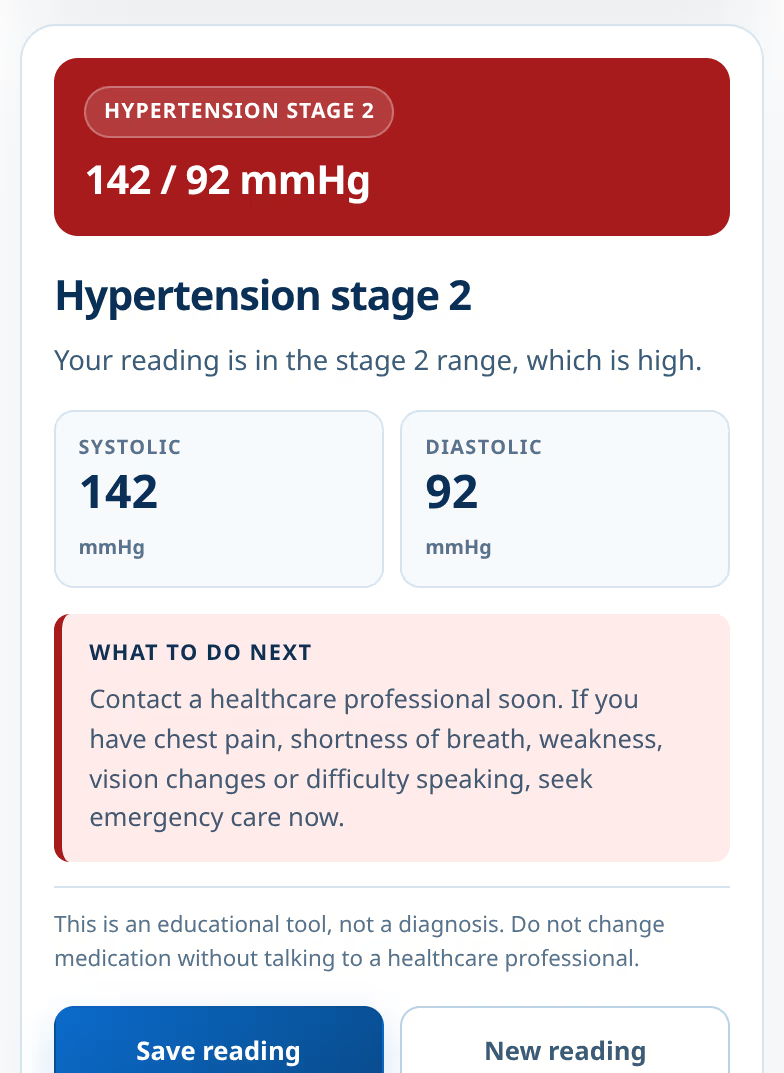
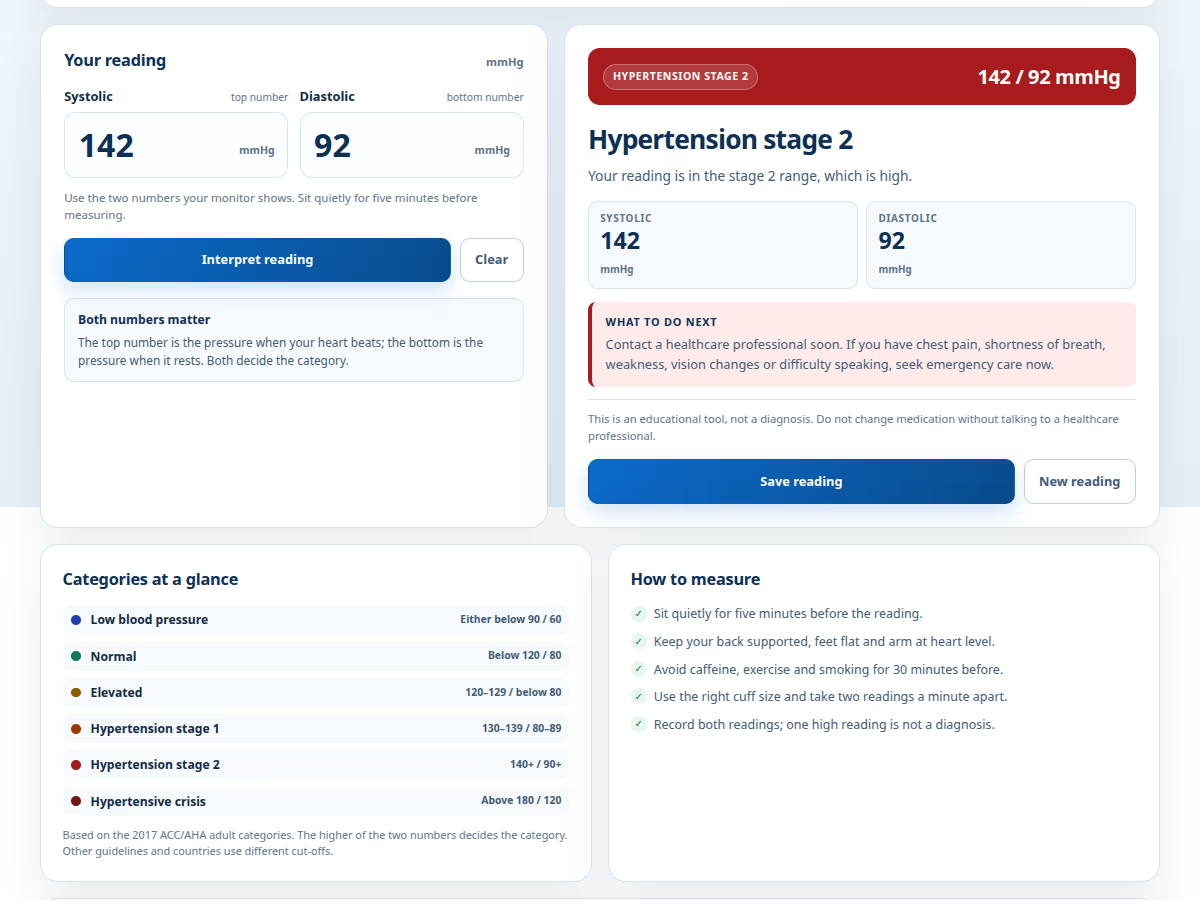
The Blood Pressure Interpreter by Ufumbuzi turns the two numbers from a home monitor into a plain-language reading. Enter systolic and diastolic values and it shows the adult category, explains what that category means and suggests what to do next. It also keeps a private history on the device and prints a clean report for an appointment.
Under the 2017 ACC/AHA categories, normal is below 120/80. A reading of exactly 120/80 falls into stage 1 because the diastolic number is 80. Many older charts still call 120/80 normal; this app follows the guideline and says so directly, so there is no doubt when comparing a reading with the category.
It is not a blood pressure monitor, a diagnosis or a treatment plan. It does not measure pulse, oxygen or arrhythmias, and it does not sync to the cloud. The categories are for adults; children, pregnancy and dialysis need different guidance. Do not change medication based on this app.
Readings are stored only in the browser on your device. There is no account, no advertising and no server upload. The history is useful for spotting patterns between appointments: record two readings a minute apart, keep the dates and show the printed report to a healthcare professional. Clearing browser data deletes the history, so print a copy first if you need one.
For other body measurements, the body measurement calculator covers weight, waist and body fat, and the medication reminders app keeps a schedule.
Important health notice: this application is an educational and informational tool. It does not provide diagnoses, clinical advice or treatment plans, and it is not a substitute for professional care. Always consult a doctor or healthcare professional about your blood pressure or medication.
Blood Pressure Interpreter is a progressive web app. Install it from your browser and it runs like a normal app, with its own icon and its own window.
Open Blood Pressure Interpreter in Chrome, tap the browser menu (⋮) and choose “Install app” or “Add to Home screen”.
Open Blood Pressure Interpreter in Safari, tap the Share button and choose “Add to Home Screen”.
Open Blood Pressure Interpreter in Chrome, Edge or Brave and click the install icon on the right side of the address bar.
Enter systolic and diastolic readings to see a plain-language blood pressure category, keep a private history and print a report for your doctor.
Yes. Blood Pressure Interpreter is a free, ad-free progressive web app. It needs no sign-up and no payment details, and your data stays on your own device.
Yes. Once installed as a PWA, Blood Pressure Interpreter runs from your device and keeps working when you have no internet connection.
Open Blood Pressure Interpreter in your browser and choose “Install app” from the Chrome menu, or “Add to Home Screen” in Safari. It then opens with its own icon, like a native app.
Blood Pressure Interpreter works on Android, iOS, Windows, macOS and Linux, because it is a progressive web app.
We use Hostinger to host Ufumbuzi, and we would rather tell you that plainly than pretend otherwise.
If you ever want to build something of your own, this is where we host Ufumbuzi. Hostinger offers shared hosting, domains and email at prices lower than most providers, and there is a discount waiting on the link.
Disclosure: Some links on this page are referral links. If you make a purchase through them, we may earn a small commission at no extra cost to you, while you get a special discount. We only recommend services that add real value.
Every app here is free, ad-free and open. Your support keeps them online and lets us keep adding new ones.
❤️ Support Ufumbuzi