

Turn your devices into personalized digital photo frames. Upload local images and adjust preferences such as display time and various transition effects…
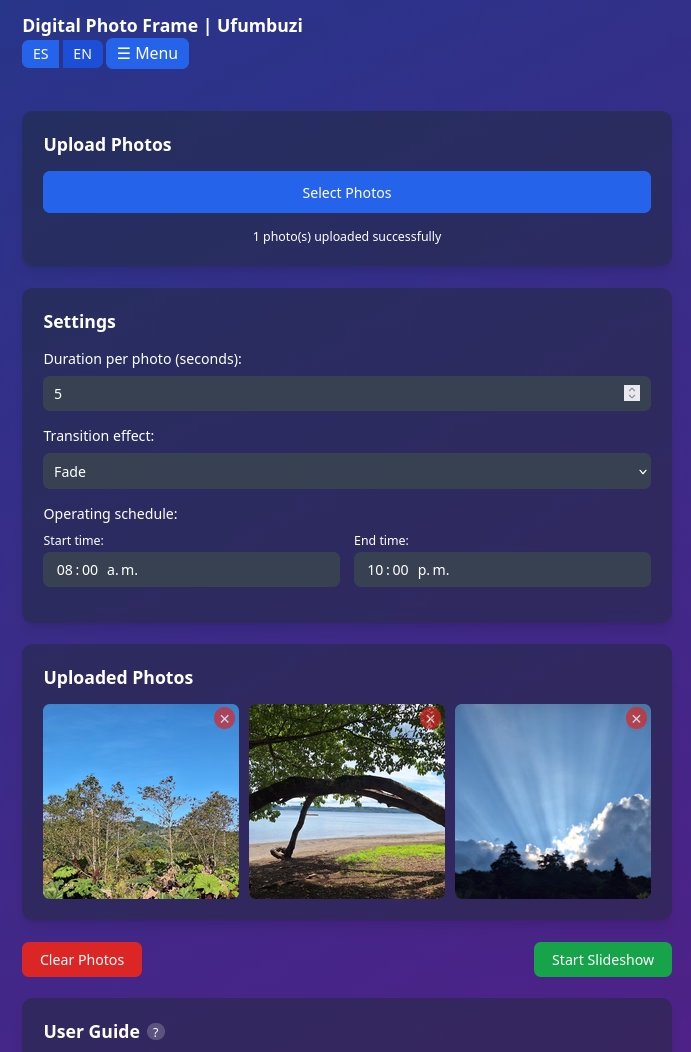

For Windows, find this app on the Microsoft Store via this link: 👉 Photo Frame on Microsoft
Find this application for Linux (.deb) at 👉 Linux Downloads
A standout feature is its automatic scheduling capability, which allows users to define specific times to start or stop the slideshow.
Furthermore, the tool ensures the screen remains active and stores all settings privately on the user's device.
A progressive web application designed to turn devices into customizable digital photo frames. It allows users to upload local images and adjust specific parameters, such as the duration of each slide and the visual transition effects. Among its advanced features, it highlights the ability to schedule automatic timetables to start or stop the photo exhibition autonomously. Additionally, the system guarantees privacy and performance by storing all content directly on the user's equipment. An intuitive interface facilitates manual control of the gallery, allowing users to pause or navigate through the collection with simple on-screen controls.
There are several key advantages that make this application an attractive choice:
In summary, it is ideal if you are looking for a simple and private way to give a decorative or informative use to a screen, without having to manually intervene to turn it on or off every day.
Digital Photo Frame is a progressive web app. Install it from your browser and it runs like a normal app, with its own icon and its own window.
Open Digital Photo Frame in Chrome, tap the browser menu (⋮) and choose “Install app” or “Add to Home screen”.
Open Digital Photo Frame in Safari, tap the Share button and choose “Add to Home Screen”.
Open Digital Photo Frame in Chrome, Edge or Brave and click the install icon on the right side of the address bar.
Turn your devices into personalized digital photo frames. Upload local images and adjust preferences such as display time and various transition effects between photos.
Yes. Digital Photo Frame is a free, ad-free progressive web app. It needs no sign-up and no payment details, and your data stays on your own device.
Yes. Once installed as a PWA, Digital Photo Frame runs from your device and keeps working when you have no internet connection.
Open Digital Photo Frame in your browser and choose “Install app” from the Chrome menu, or “Add to Home Screen” in Safari. It then opens with its own icon, like a native app.
Digital Photo Frame works on Android, iOS, Windows, macOS and Linux, because it is a progressive web app.
Every app here is free, ad-free and open. Your support keeps them online and lets us keep adding new ones.
❤️ Support Ufumbuzi