

Easily count people or items with customizable increments. Free PWA app — installable, works offline, no ads.
Find this application for Linux (.deb) at 👉 Linux Downloads
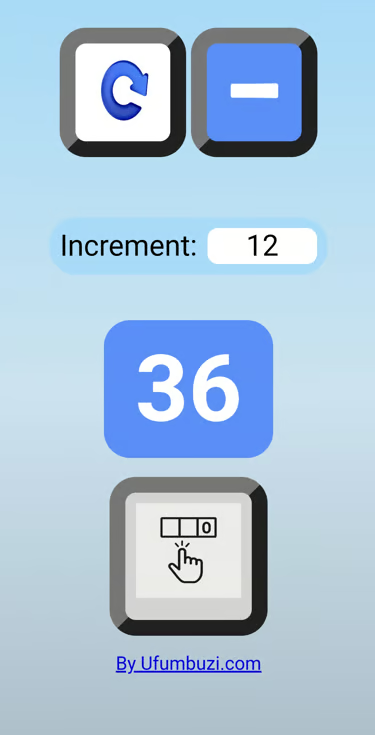
The Click Counter Ufumbuzi app is a modern digital click counter designed for easy numerical tracking.
Below are its features and the reasons to use it:
• It functions as a counting tool that allows for the accurate tracking of units, events, or items using an increment system (initially set to 1) that is visually displayed on a digital screen.
• What does it solve?: It eliminates the need for traditional manual or mechanical counting methods, offering a digital solution accessible from modern devices. It simplifies the task of keeping a precise count without memory errors, allowing you to visualize progress in real time.
• Why should you use it?:
• It is a free and cross-platform application (PWA), making it easy to use at no cost.
• It offers a modern and multilingual interface (available in Spanish and English), adapting to user preferenc.
Click Counter is a progressive web app. Install it from your browser and it runs like a normal app, with its own icon and its own window.
Open Click Counter in Chrome, tap the browser menu (⋮) and choose “Install app” or “Add to Home screen”.
Open Click Counter in Safari, tap the Share button and choose “Add to Home Screen”.
Open Click Counter in Chrome, Edge or Brave and click the install icon on the right side of the address bar.
Easily count people or items with customizable increments.
Yes. Click Counter is a free, ad-free progressive web app. It needs no sign-up and no payment details, and your data stays on your own device.
Yes. Once installed as a PWA, Click Counter runs from your device and keeps working when you have no internet connection.
Open Click Counter in your browser and choose “Install app” from the Chrome menu, or “Add to Home Screen” in Safari. It then opens with its own icon, like a native app.
Click Counter works on Android, iOS, Windows, macOS and Linux, because it is a progressive web app.
Every app here is free, ad-free and open. Your support keeps them online and lets us keep adding new ones.
❤️ Support Ufumbuzi