
This tool allows users to identify and track the geographic location linked to any IP address. Users can detect their own IP address or investigate external IP…
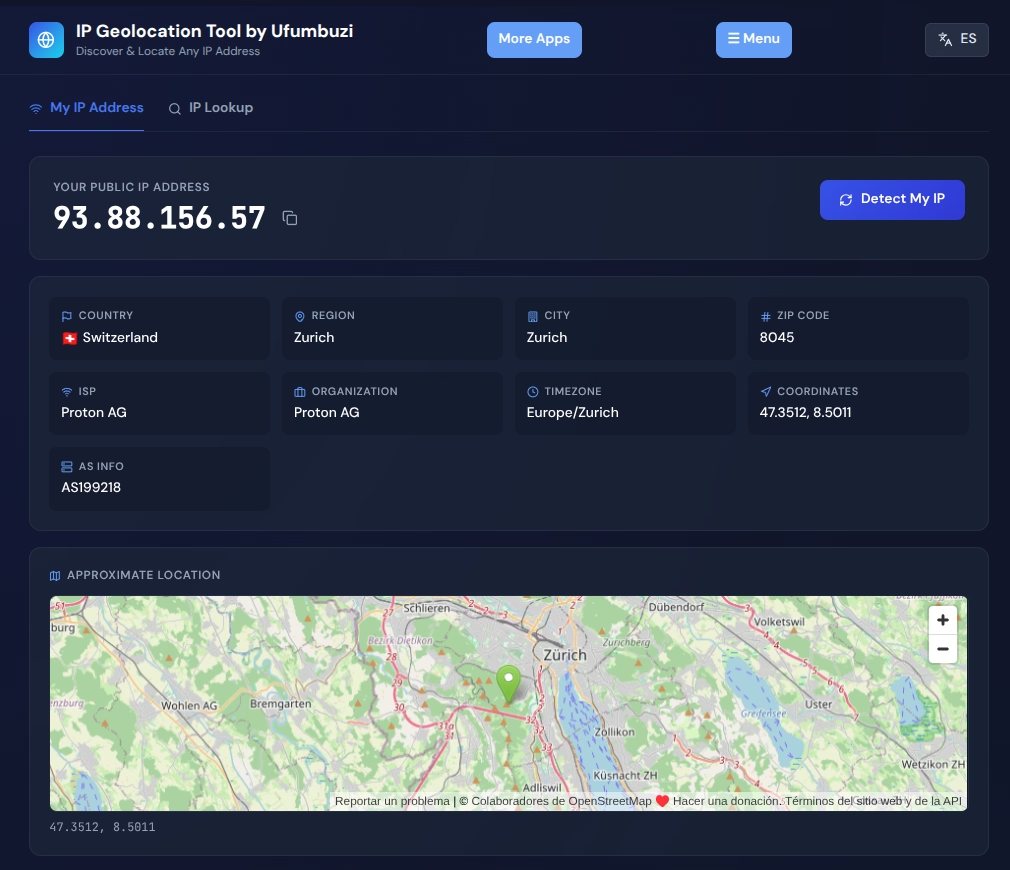
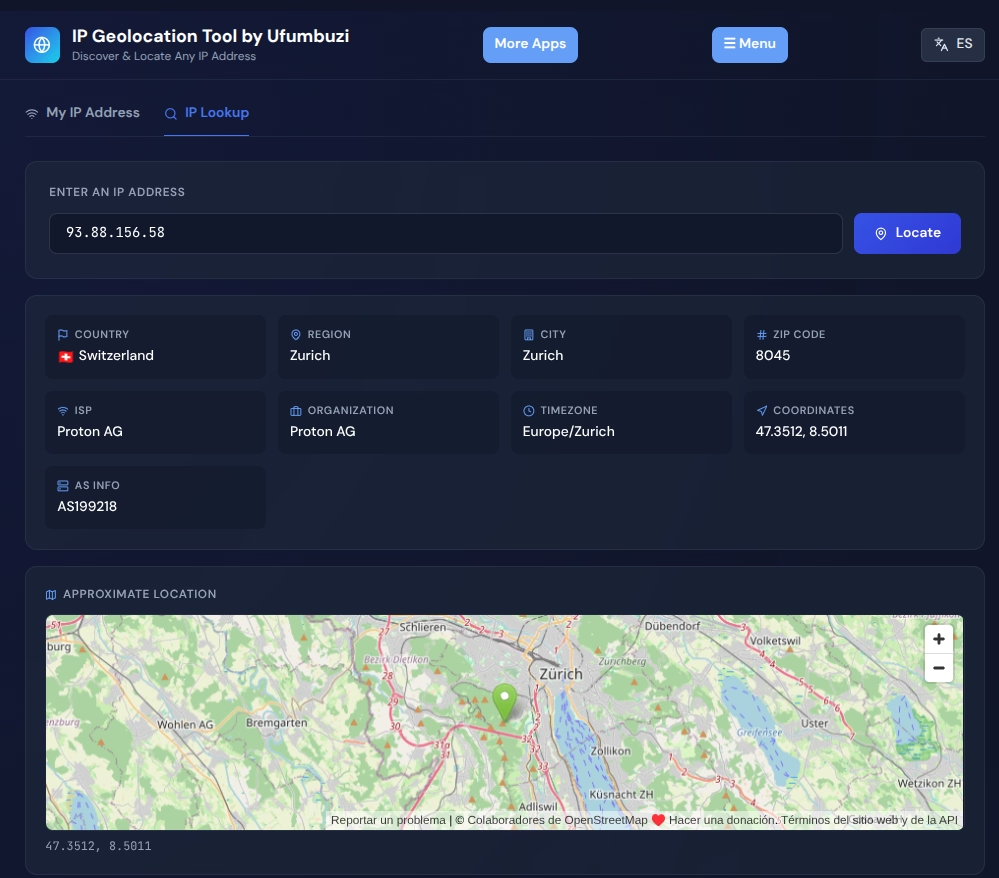
The IP Geolocation Tool by Ufumbuzi is a specialized web-based application designed to identify, analyze, and locate Internet Protocol (IP) addresses globally. Operating as an accessible, bilingual hub, the platform allows users to instantly discover their own network details or investigate external IP addresses to retrieve essential networking insights. Beyond its core tracking functionality, the tool serves as an educational resource that clearly demystifies fundamental connectivity concepts—such as the differences between IPv4 and IPv6, and the critical distinction between public and private IP addresses.
The platform acts as an automated search engine and locator for IP addresses—the unique numerical identifiers assigned to every device on a network. Key functionalities include:
Technical Note on Accuracy: While the geolocalizer provides high precision at the city and ISP level, IP-based tracking yields informative estimates rather than residential-level mapping. It does not allow for exact household surveillance and must be utilized strictly for diagnostic and informational purposes.
IP Geolocation is a progressive web app. Install it from your browser and it runs like a normal app, with its own icon and its own window.
Open IP Geolocation in Chrome, tap the browser menu (⋮) and choose “Install app” or “Add to Home screen”.
Open IP Geolocation in Safari, tap the Share button and choose “Add to Home Screen”.
Open IP Geolocation in Chrome, Edge or Brave and click the install icon on the right side of the address bar.
This tool allows users to identify and track the geographic location linked to any IP address. Users can detect their own IP address or investigate external IP addresses.
Yes. IP Geolocation is a free, ad-free progressive web app. It needs no sign-up and no payment details, and your data stays on your own device.
Yes. Once installed as a PWA, IP Geolocation runs from your device and keeps working when you have no internet connection.
Open IP Geolocation in your browser and choose “Install app” from the Chrome menu, or “Add to Home Screen” in Safari. It then opens with its own icon, like a native app.
IP Geolocation works on Android, iOS, Windows, macOS and Linux, because it is a progressive web app.
Every app here is free, ad-free and open. Your support keeps them online and lets us keep adding new ones.
❤️ Support Ufumbuzi