


Manage your notes efficiently. This app lets you create, organize, and manage your ideas using rich text formatting (bold, lists, links) and a visual…
Find this application for Linux (.deb) at 👉 Linux Downloads
The Notes App Ufumbuzi is a tool designed to create, organize, and manage notes efficiently and with a personalized touch.
Below is a detailed breakdown of what it solves, what it is used for, and the reasons to use it:
This application solves the need to capture information quickly and keep it organized without relying on a constant internet connection. It is used for:
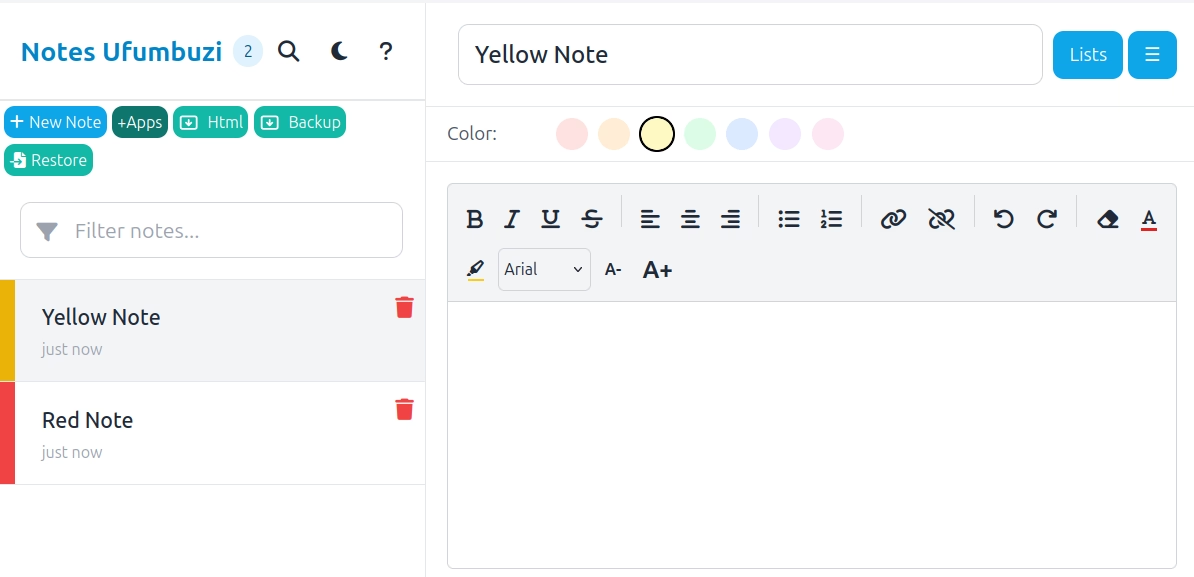
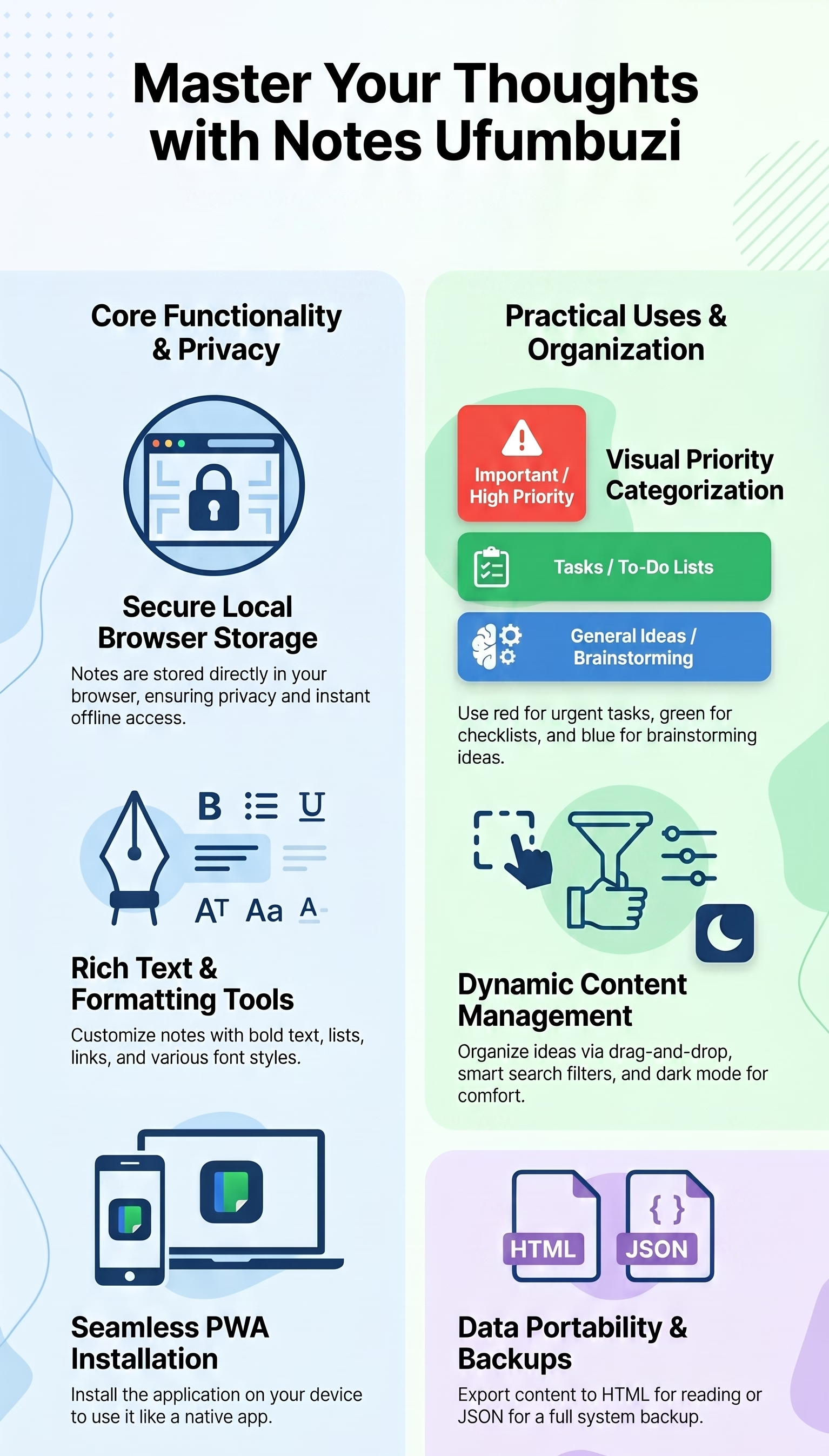
Content Management: It allows you to draft notes with rich text formatting, including bold, italics, lists for organizing ideas, and clickable links.
Visual Organization: It facilitates classifying information by priority or categories through the use of colors (for example, red for important matters, green for tasks, and blue for ideas).
Immediate Location: It solves the problem of searching for information among numerous notes thanks to its smart search and real-time filter bar.
Data Security: It offers an autosave system that triggers while you type, as well as the option to create full backups in JSON format or export to HTML for reading.
There are several competitive advantages that make it an attractive option:
Privacy and Local Control: All content is saved locally in your browser, giving you full control over your data.
Flexibility of Use: The application works offline and can be installed on your device just like a native app.
Advanced Customization: Unlike basic editors, it allows you to reorder notes using "drag and drop" and features a dark mode for better visual comfort.
Editing Tools: It includes "Undo/Redo" functions and the option to clear text formatting to maintain a clean layout.
Efficiency: It is a lightweight tool that allows for the instant creation of notes and the quick deletion of those you no longer need.
Notes App is a progressive web app. Install it from your browser and it runs like a normal app, with its own icon and its own window.
Open Notes App in Chrome, tap the browser menu (⋮) and choose “Install app” or “Add to Home screen”.
Open Notes App in Safari, tap the Share button and choose “Add to Home Screen”.
Open Notes App in Chrome, Edge or Brave and click the install icon on the right side of the address bar.
Manage your notes efficiently. This app lets you create, organize, and manage your ideas using rich text formatting (bold, lists, links) and a visual color-coded system by category.
Yes. Notes App is a free, ad-free progressive web app. It needs no sign-up and no payment details, and your data stays on your own device.
Yes. Once installed as a PWA, Notes App runs from your device and keeps working when you have no internet connection.
Open Notes App in your browser and choose “Install app” from the Chrome menu, or “Add to Home Screen” in Safari. It then opens with its own icon, like a native app.
Notes App works on Android, iOS, Windows, macOS and Linux, because it is a progressive web app.
Every app here is free, ad-free and open. Your support keeps them online and lets us keep adding new ones.
❤️ Support Ufumbuzi