
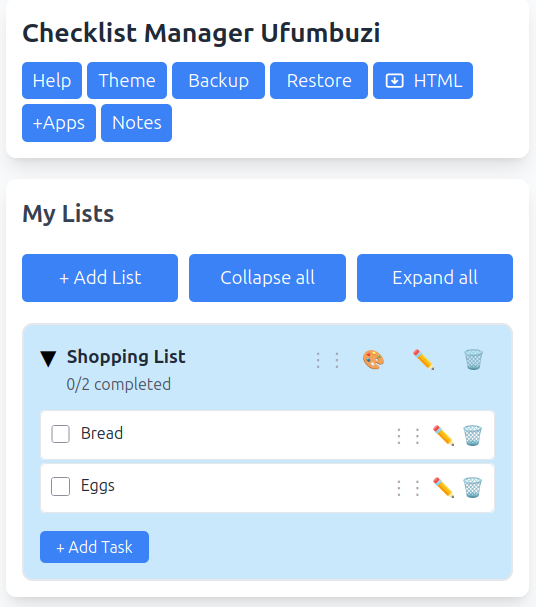
Create and manage checklists. You can create as many lists as you need (Shopping, Work, Personal, etc.).
Find this application for Linux (.deb) at 👉 Linux Downloads
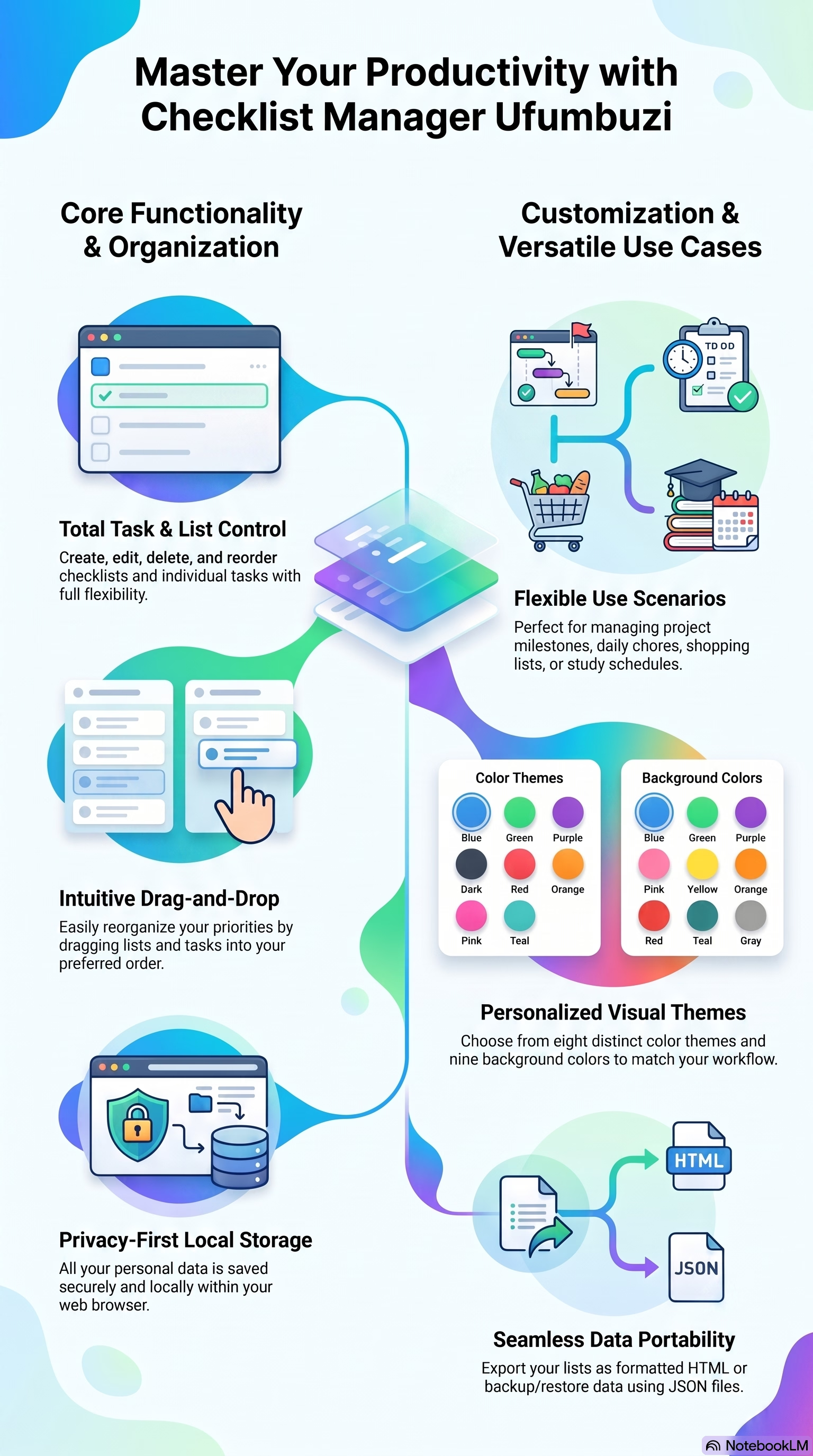
Checklist Manager is an application designed for the efficient management of tasks and the organization of customized lists. It allows users to create, edit, and reorder their to-dos through an intuitive interface that includes drag-and-drop functionality. To guarantee privacy, the platform stores all information locally in the browser, while also offering options to back up and restore data using JSON files. Users can customize their visual experience by choosing from various color themes and specific backgrounds. Additionally, the software facilitates exporting content in HTML format for easier external use. This digital solution represents a practical and flexible alternative for managing daily activities.
This application functions as a checklist manager that allows you to perform the following actions:
Comprehensive List Management: You can create, edit, delete, and reorder your checklists according to your needs.
Task Control: It allows you to add tasks to each list, edit them, delete them, and, most importantly, mark them as completed or incomplete.
Visual Organization: Thanks to its drag-and-drop functionality, you can easily reorder both lists and individual tasks.
Based on its features, this application offers several competitive advantages:
Privacy and Local Storage: All your data is saved locally in your browser, giving you greater control over your information without relying on external servers.
Security and Backup: It offers backup tools to download your data into a JSON file, as well as restore functions to upload it again whenever needed.
Data Export: It allows you to download your lists in a formatted HTML file, making it easy to share or view your tasks outside the application.
Customization: You can choose from 4 color themes (such as Blue, Green, Purple, Dark, Red, Orange, Pink, and Turquoise) and select different background colors to adapt the interface to your visual preference.
Accessibility: It is a free Progressive Web App (PWA) designed to be easy to use and maintain user productivity.
This system allows you to secure your data, which is initially stored locally in your browser. Below is a detailed breakdown of how each process works:
Backup System: Generates a backup of all your information by downloading it as a JSON file. This is useful for saving your lists outside the browser or transferring them to another device.
Restore System: If you need to recover your lists or move them to a new computer, you can upload the previously downloaded JSON file to restore all your data in the application.
Both options are directly accessible from the main menu of the interface, alongside other tools such as theme management and HTML export.
Checklists Manager is a progressive web app. Install it from your browser and it runs like a normal app, with its own icon and its own window.
Open Checklists Manager in Chrome, tap the browser menu (⋮) and choose “Install app” or “Add to Home screen”.
Open Checklists Manager in Safari, tap the Share button and choose “Add to Home Screen”.
Open Checklists Manager in Chrome, Edge or Brave and click the install icon on the right side of the address bar.
Create and manage checklists. You can create as many lists as you need (Shopping, Work, Personal, etc.).
Yes. Checklists Manager is a free, ad-free progressive web app. It needs no sign-up and no payment details, and your data stays on your own device.
Yes. Once installed as a PWA, Checklists Manager runs from your device and keeps working when you have no internet connection.
Open Checklists Manager in your browser and choose “Install app” from the Chrome menu, or “Add to Home Screen” in Safari. It then opens with its own icon, like a native app.
Checklists Manager works on Android, iOS, Windows, macOS and Linux, because it is a progressive web app.
Every app here is free, ad-free and open. Your support keeps them online and lets us keep adding new ones.
❤️ Support Ufumbuzi